📖 An overview of Workspaces and Users objects
There are five standard objects in Attio:
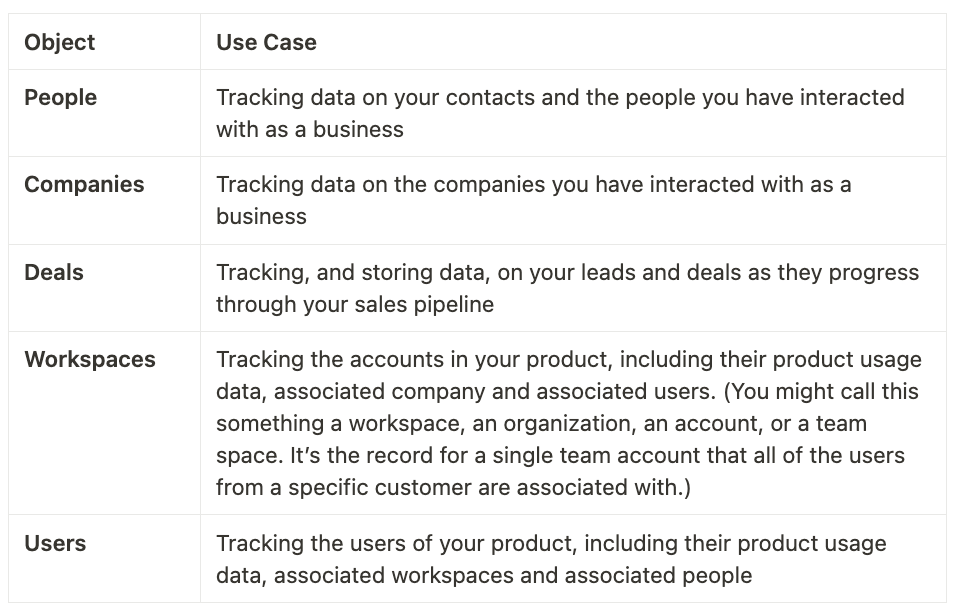
People and Companies will be enabled by default when you sign up to Attio, and if you sync your mailbox they will be automatically populated with every person and company that you have emailed or had a meeting with in the past.
Depending on the options you chose when asked what you would be using Attio for during the sign up process, you may also have Deals, Workspaces and Users enabled.
If you do not, then navigate to Workspace Settings > Object to activate them.
An introduction to Workspaces and Users
Why should you use Workspaces?
You are a software company
Companies have accounts in your product that their team members log into and use
You have product data and need to track product usage and licence and billing data for these accounts
Create visibility about how prospects and customers are using your product for your GTM team
Surface new leads, churn risks, and expansion opportunities based on product usage data
Why should you use Users?
You are a software company
You have users that log into your software, that may also be part of a workspace
You have product data and need to track product usage and subscription data for these users
Users versus People
People records are a complete library of every human (usually represented by an email address) that your company has interacted with. Most person records are created automatically through Attio's email and calendar sync, which creates people for anyone you've ever emailed or had a calendar event with. You may also create people records when you receive leads (e.g. via an inbound form or when purchasing a lead list), create users records (see below), or import data from other communication tools beyond email.
Users records are useful for tracking information about the users of a product, including the person and workspace records (if relevant) they are connected to. Here you would track data such as product usage, licenses and billing. When creating a user record, we recommend linking it to a person record (and creating the person record if necessary) so that you can tie together your communication history available on the person record to the user information available on the user record.
Setting up your attributes
Default/system attributes
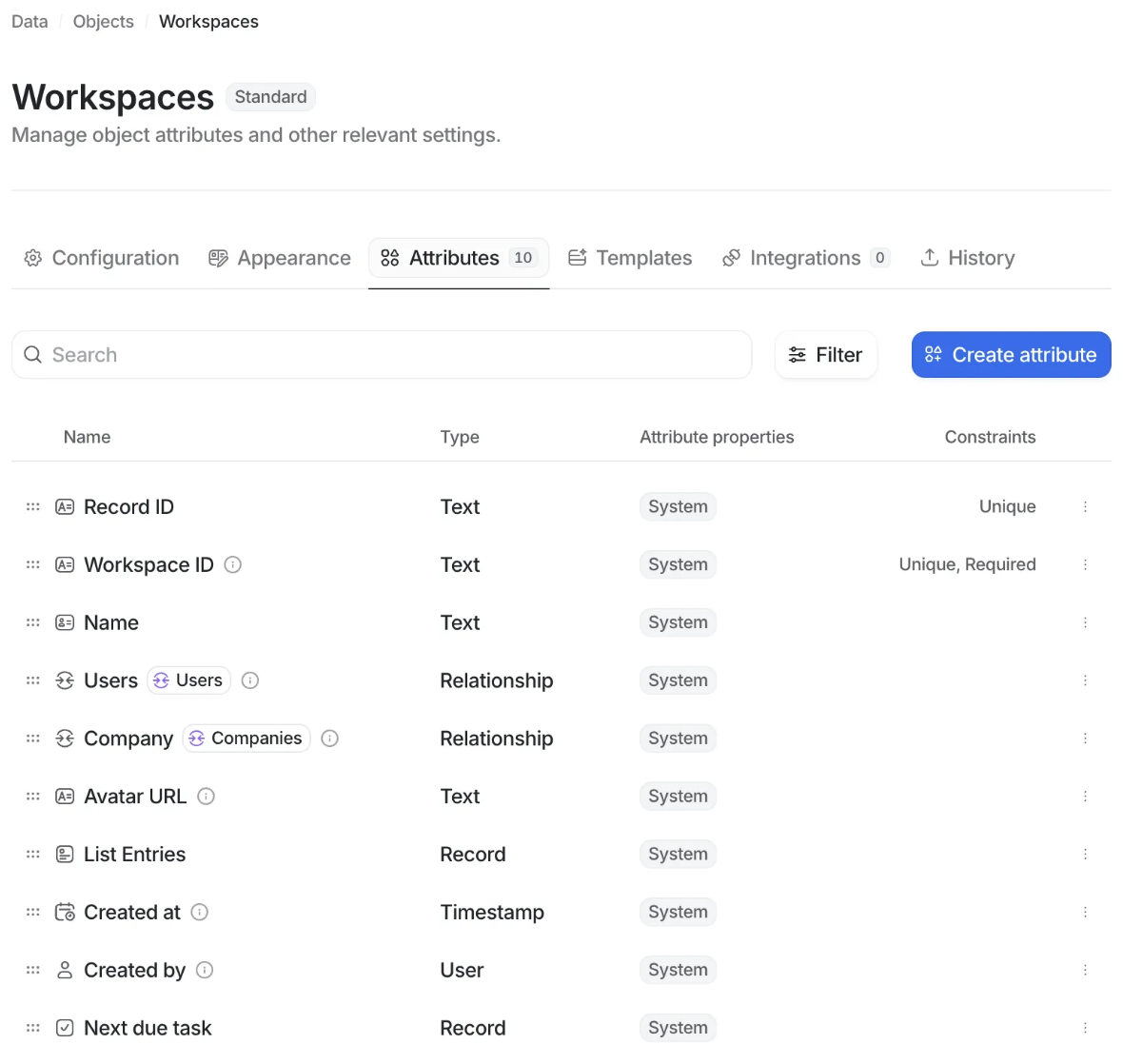
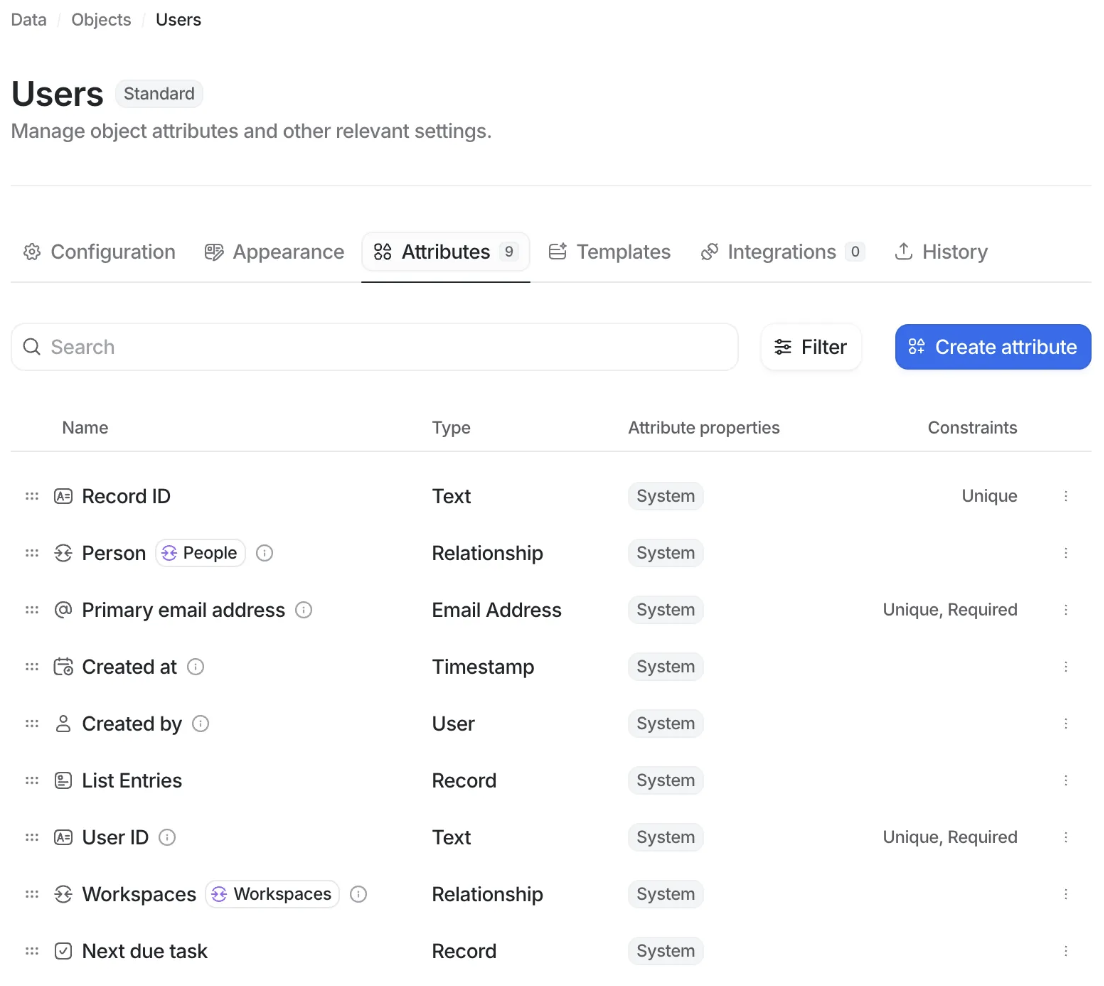
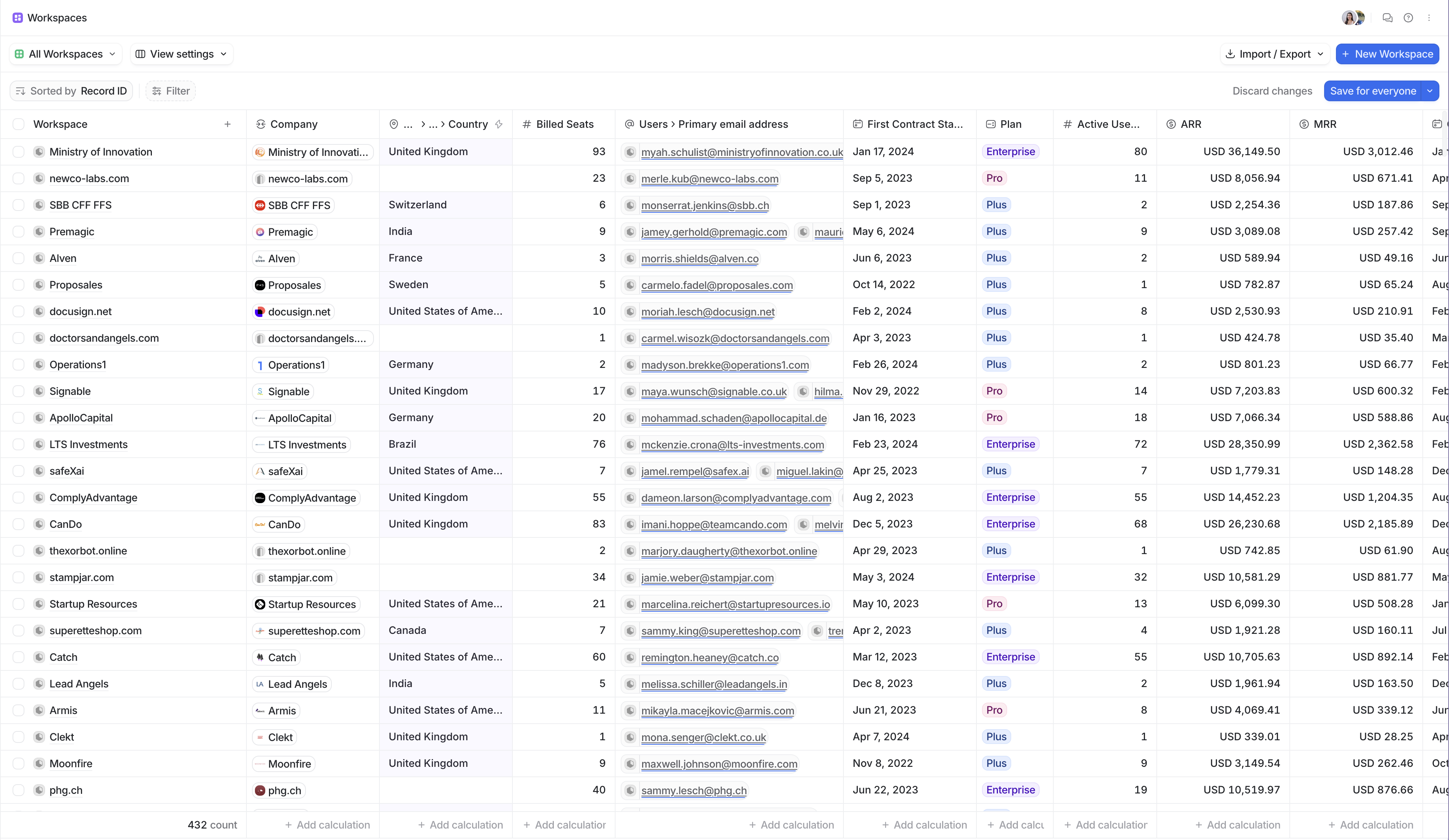
Additional attribute to consider
Workspaces:
Plan / Product
Subscription dates
Sign up date
Sign up source
Payment and billing information
MRR / ARR
Number of seats / users
Product usage data (this will be specific to your product and its features)
Log in data (unique log ins last 7 / 30 / 90 days, last log in date)
First / last UTM source
You can also pull in data from any associated record using relationship attributes i.e. you can add information about the company or users.
Users:
Seat type
Product usage data (this will be specific to your product and its features)
Sign up date
Sign up source
Log in data (unique log ins last 7 / 30 / 90 days, last log in date)
First / last UTM source
If you have Users, but not Workspaces:
Subscription dates
Payment and billing information
MRR / ARR
You can also pull in data from any associated record using relationship attributes i.e. you can add information about the person or the workspace.
Adding data to Workspace and User objects
You likely already track this data in your product, and there are a few common ways of getting this data synced to Attio:
Because of the fast changing nature of product usage data, it’s not recommended to import or update this manually.
This can be automated in a number of ways:
Using a rETL tool (we integrate with Census, Hightouch, Polytomic)
Using a product analytics tool to sync data directly from your product to Attio (like June and Segment)
Directly through our API from your product